Total
Total Block Overview
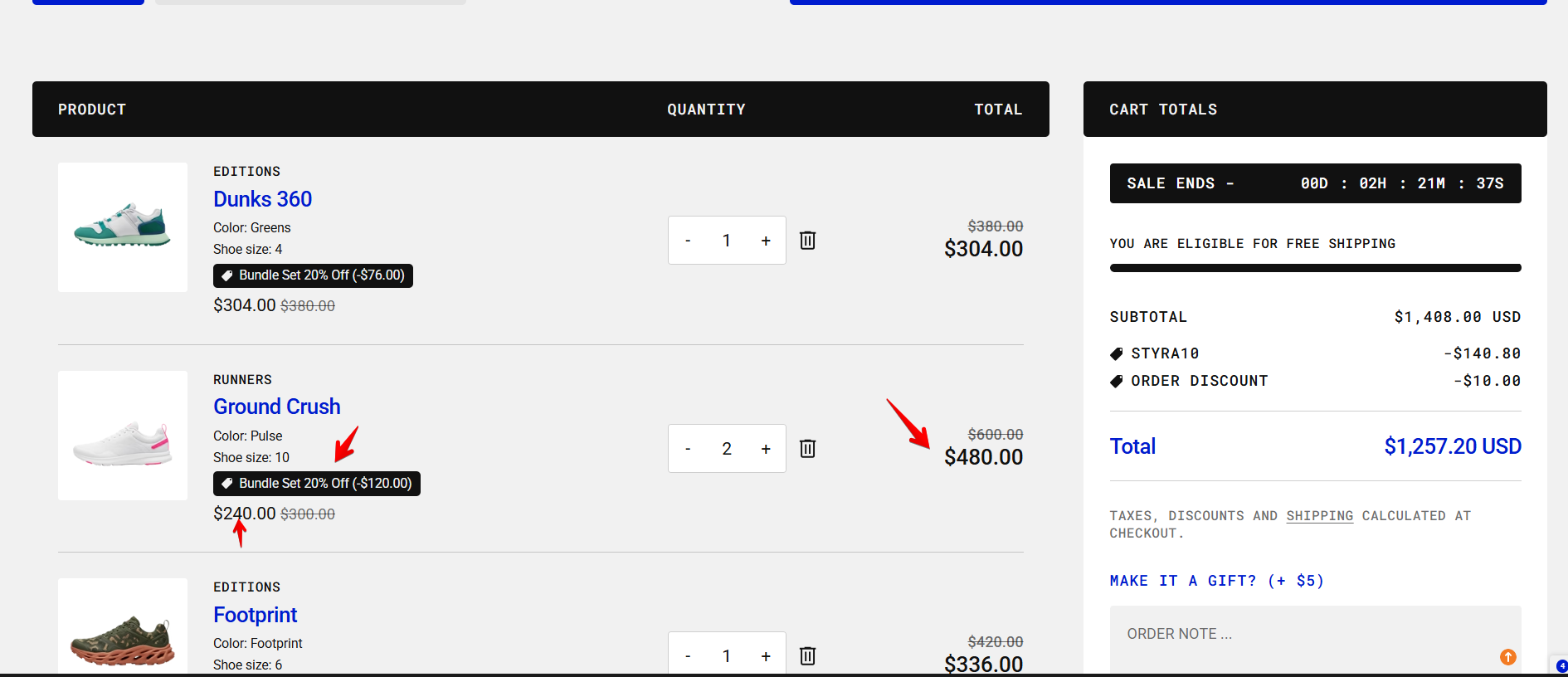
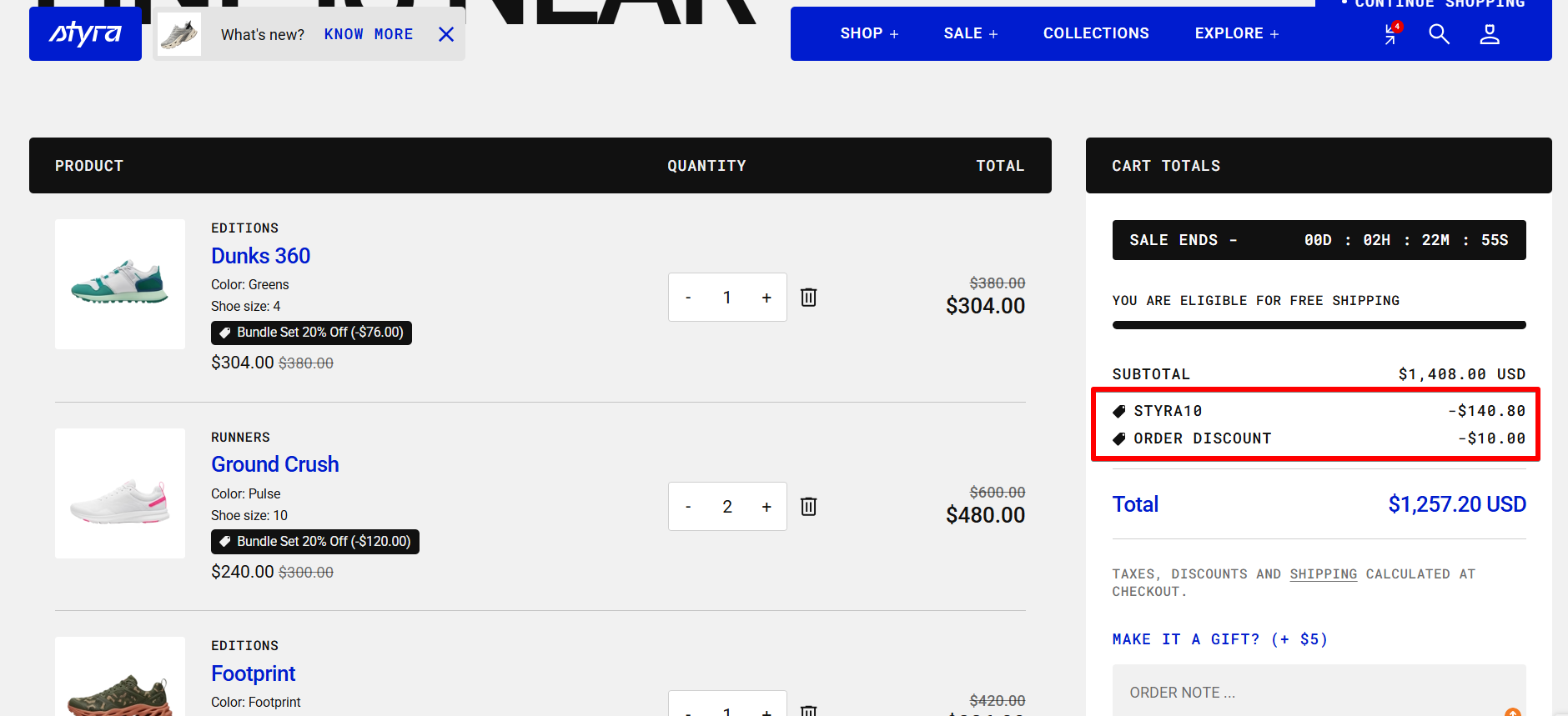
The total block contains the subtotal price, order discount, and total price.
The order discount can be created in the Discounts section of the admin panel.
It appears in the cart in two possible ways:
- Discount code — added by the customer during checkout and then displayed in the cart.
- Automatic discount — may be visible before checkout depending on how discount combinations are configured with other discounts.
Product Discounts
All discounts related to products are displayed next to each product in a single row, showing both:
- the per-item discount, and
- the total discount amount.
Subtotal Price
The subtotal price includes:
- the price of all products, and
- all product-level discounts.
It does not include:
- order discounts, or
- gift card discounts.
Taxes and Shipping
Taxes and shipping costs are calculated at checkout.
| Setting | Description |
| Show tax note |
Taxes are not included in the total on the cart page and are calculated at checkout based on the customer’s location. You can also display a note such as: “Taxes, discounts, and shipping are calculated at checkout.” Some types of discounts, like those applied via gift cards, may be visible during checkout. |
Read this article about "Discounts"
Order discount:
- Discount code
- Automatic discount
Product discount