
Countdown
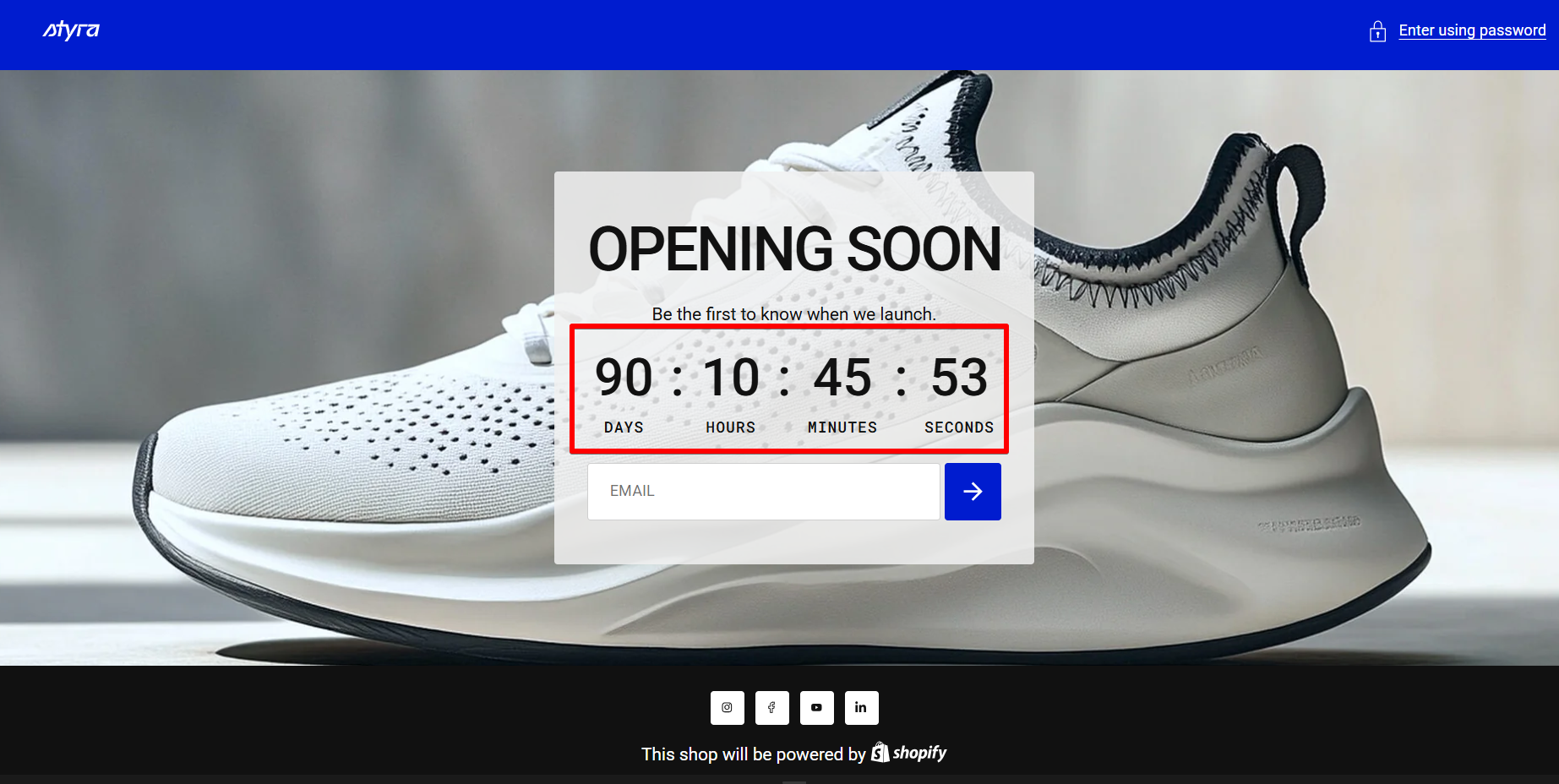
| Setting | Description |
| Countdown label | Add a label for the countdown. |
| End date | Enter the end date for a specific promotion. Refer to the example provided below, the field in the theme customizer to ensure the discount period's end date is correctly formatted. |
| Timer behavior |
|
| Cycle duration | Set the number of hours for the countdown to cycle when the timer behavior is set to “Restart When Finished (Cycle)”. |
Number styling
| Setting | Description |
| Number size (desktop) | Adjust the size of the days, hours, minutes, and seconds numbers using the slider. |
| Number size (mobile) | Adjust the size of the days, hours, minutes, and seconds numbers specifically for mobile devices. |
| Font |
In Theme Settings → Typography → Fonts, you can select a font family from the list and choose the font weight at the end of the list separately for Heading, Body, and Accent text. Based on these settings, each block allows you to choose which font style is applied.
|
| Color |
Each color scheme includes Heading, Text, and Accent color settings. Use this dropdown to select which color to apply. The available options may vary depending on the selected block color scheme.
|
Labels
| Setting | Description |
| Days label | Keep the suggested label for days, or write your text in the field. |
| Hours label | Keep the suggested label for hours, or write your text in the field. |
| Minutes label | Keep the suggested label for minutes, or write your text in the field. |
| Seconds label | Keep the suggested label for seconds, or write your text in the field. |
| Label size (desktop) | Adjust the label size for days, hours, minutes, and seconds text on desktop devices. |
| Label size (mobile) | Adjust the label size for days, hours, minutes, and seconds specifically for mobile devices. |
| Font |
In Theme Settings → Typography → Fonts, you can select a font family from the list and choose the font weight at the end of the list separately for Heading, Body, and Accent text. Based on these settings, each block allows you to choose which font style is applied.
|
| Color |
Each color scheme includes Heading, Text, and Accent color settings. Use this dropdown to select which color to apply. The available options may vary depending on the selected block color scheme.
|
| Countdown bottom space | Adjust the bottom spacing on desktop below the countdown, before the next element. |
| Countdown bottom space mobile | Adjust the bottom spacing specifically for mobile devices. |