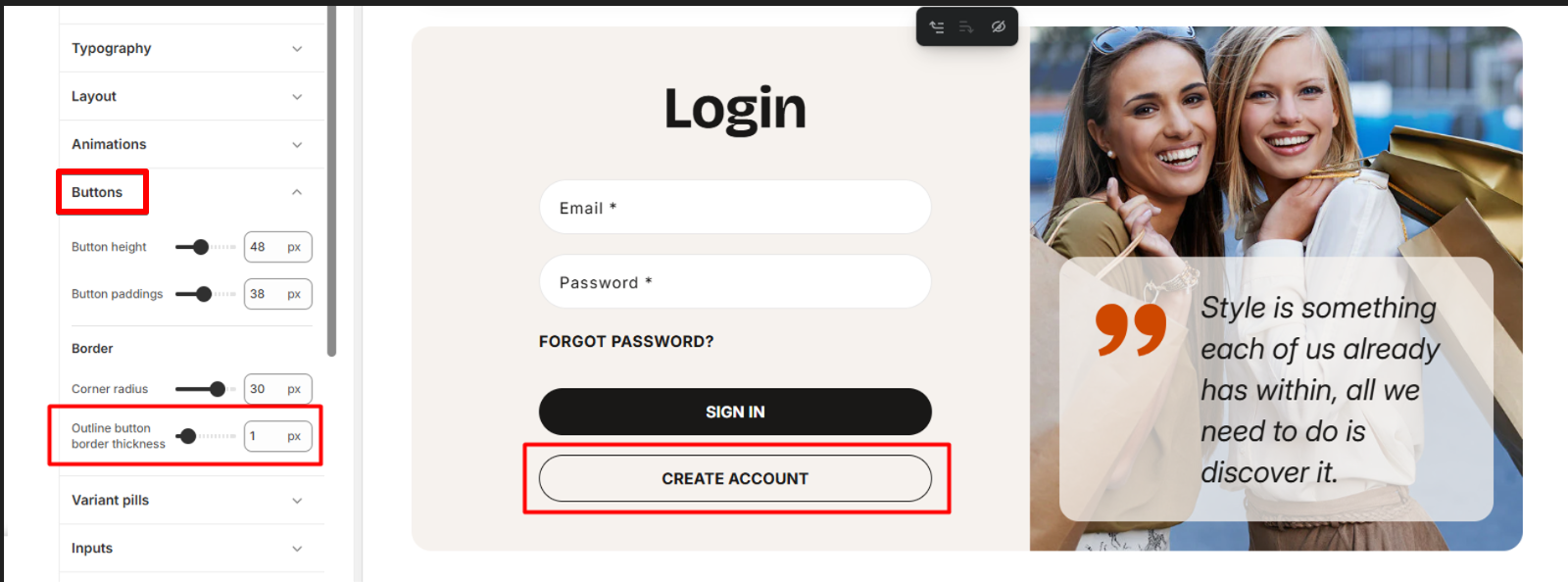
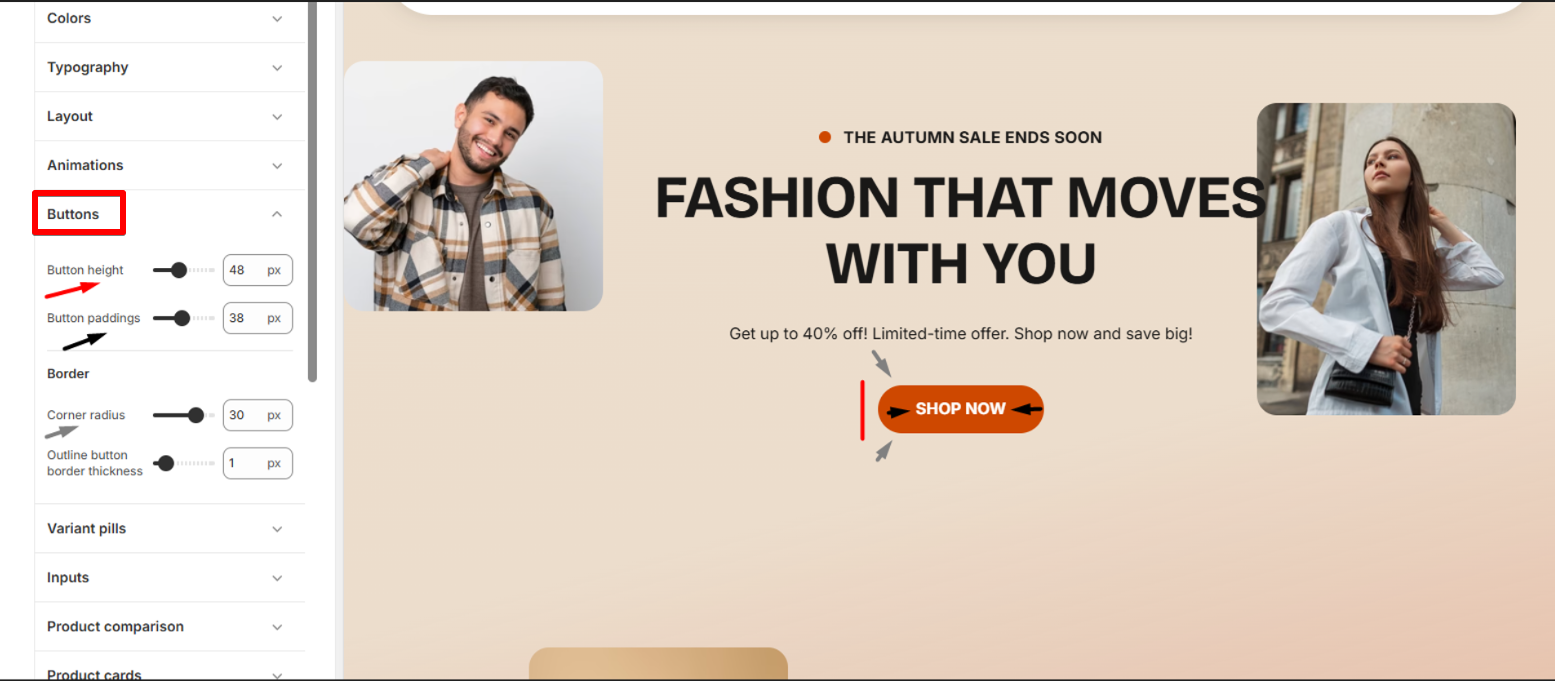
Buttons
| Setting | Description |
| Buttons height | Adjust the vertical size of buttons. This controls how tall the buttons appear, affecting overall button prominence and spacing. The range is from 40px to 60px. |
| Buttons paddings | Customize the inner spacing of buttons (left/right). Padding affects how much space is around the button text, influencing both size and readability. The range is from 20px to 60px. |
Border settings
| Setting | Description |
| Corner radius | Use the slider to control the corner shape of buttons. You can adjust the radius to achieve the desired level of roundness or squareness, aligning them with your design vision. The range is from 0px to 40px. |
| Outline button border thickness | Adjust the thickness of the border for outline-style buttons. Use the slider to make the border thinner or thicker, depending on the desired emphasis and visual style of your buttons. The range is from 0px to 10px. |
Outline button