Preview Changes will not be visible to customers until published.
Product description
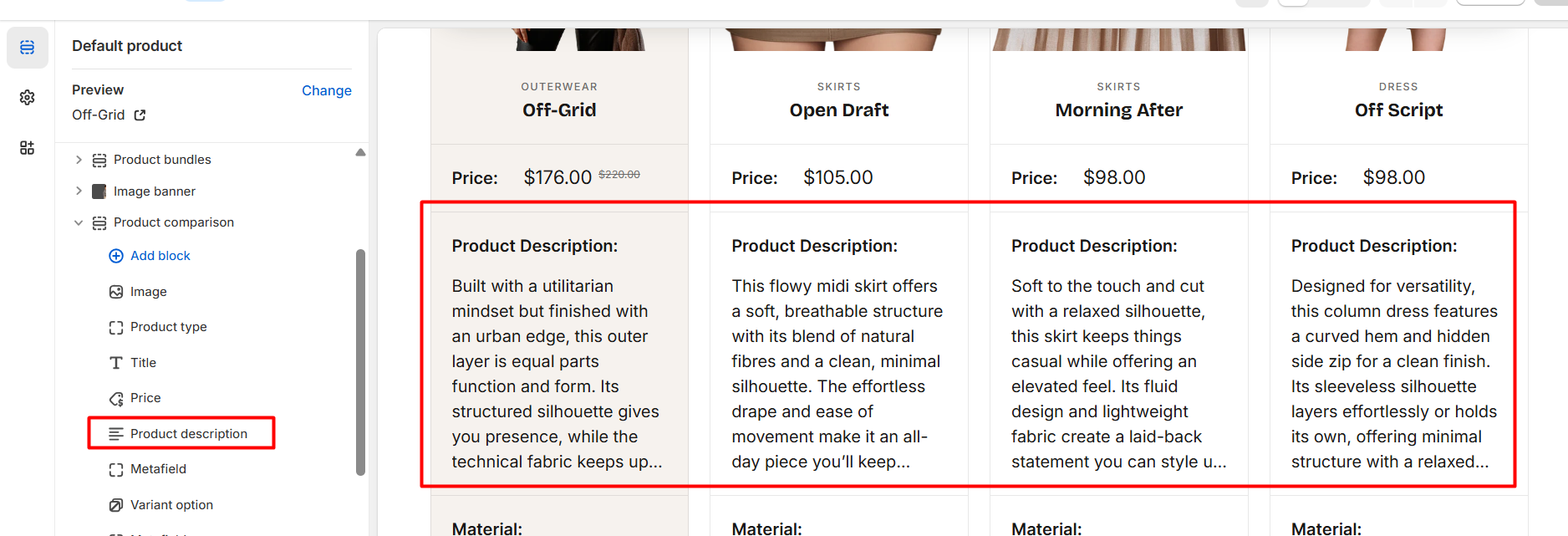
Add a “Product description” block to display a row in the table.
Setting
Description
Row label
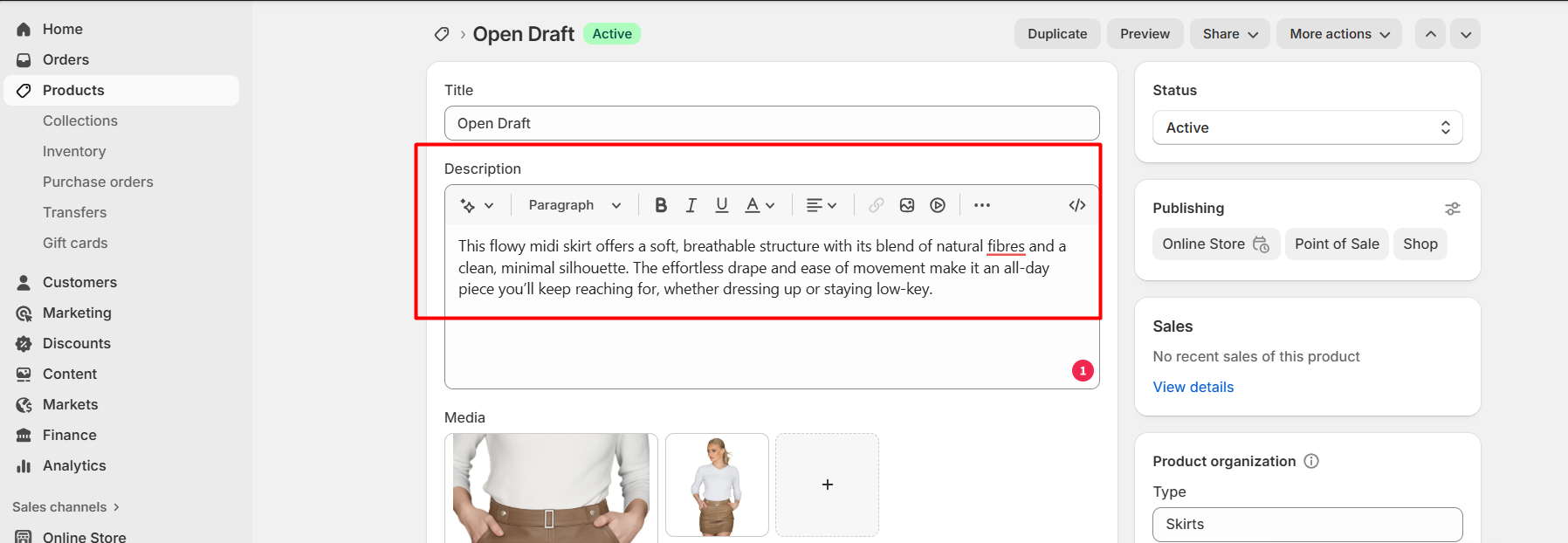
Add a label, “Product description” or “Description”, and product description of each product appears automatically if it has been added before on the product detail page. Check on screenshot below.
When the Row label position is set to “Aside,” the product description label will appear horizontally aligned with the description in the column before it.
When the Row label position is set to “Column,” the label will appear next to the description within the same column.
Product detail page: add a description into description field.
Did this answer your question?Thanks for the feedbackThere was a problem submitting your feedback. Please try again later.