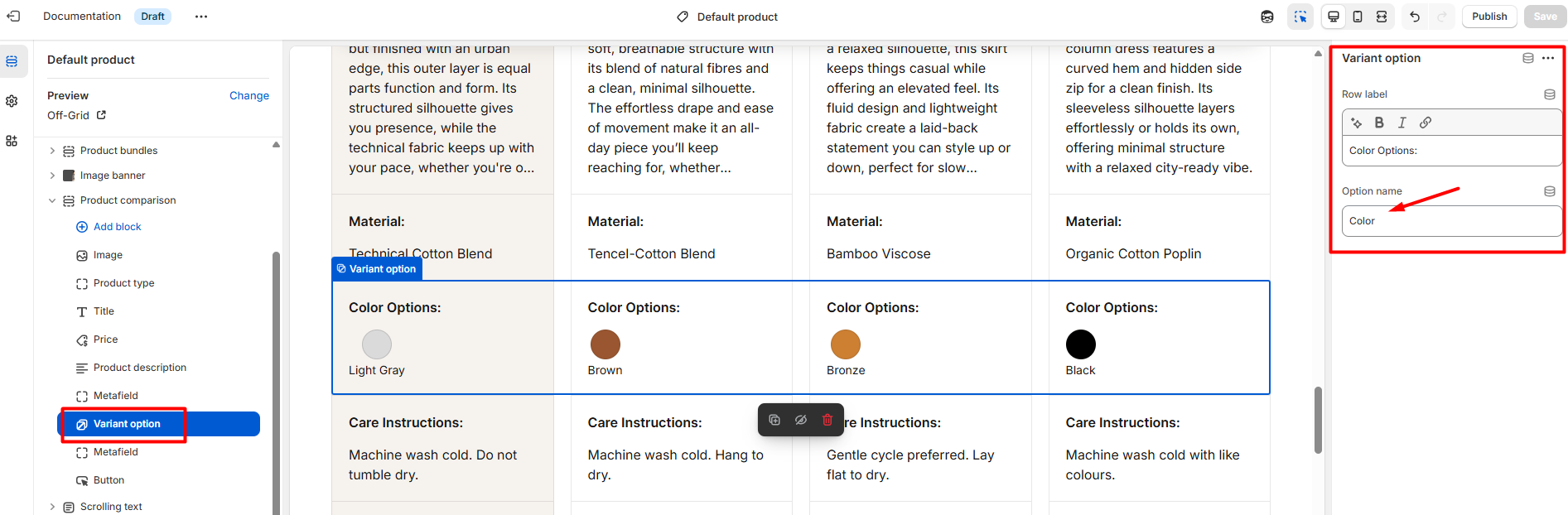
Variant option
| Setting | Description |
| Row label |
You can add a label for the product price.
|
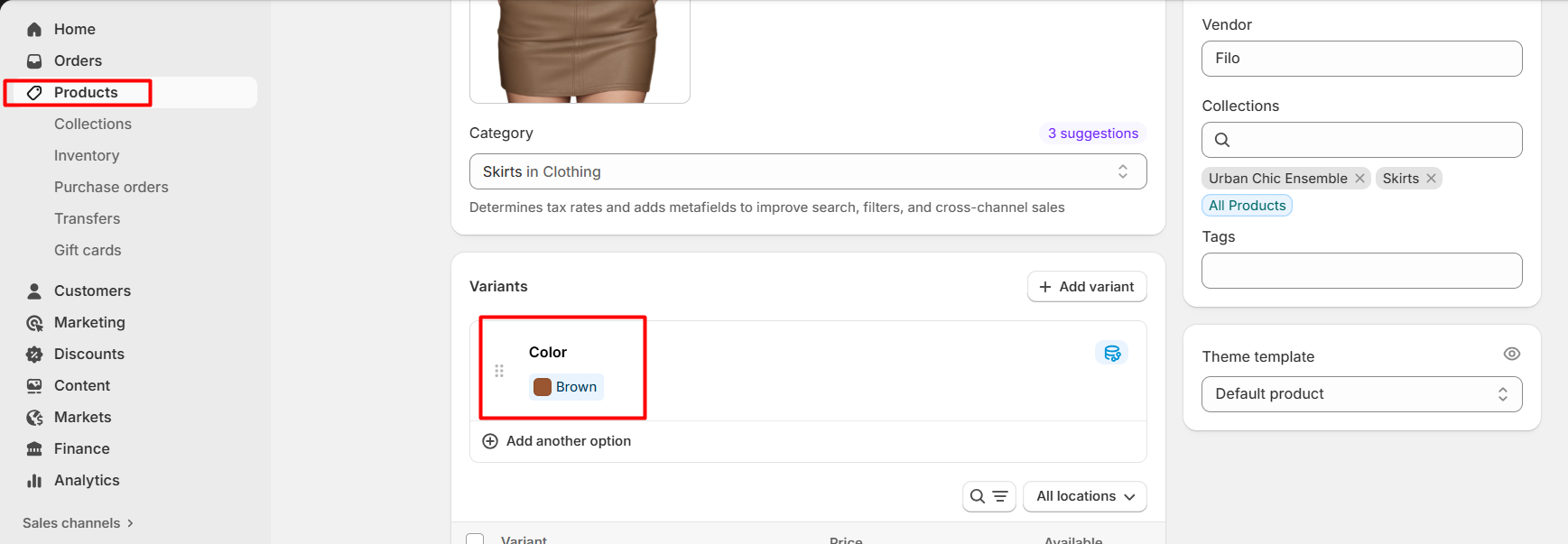
| Option name | Write option name, which will be the same as on the product detail page, and it will be shown automatically in each product column. |
Product detail page — Variants section
If variant options are added to the products in this section, they will be displayed automatically when the same name is used in the Variant option block.